
Core Objective and Bounce Loop
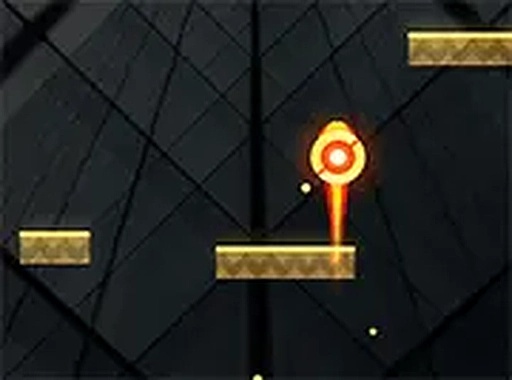
Neon Ball Bounce Challenge centers on a single, escalating task: keep a bright neon ball from hitting the bottom of the screen. The ball drops automatically, and your role is to position it so it lands on sliding platforms that appear overhead. Every successful bounce keeps the run alive and knocks out blocks in the platform below, gradually opening a path. The loop is easy to understand but demands steady aim and quick reactions as platforms shift.
Controls and Moment-to-Moment Play
Input is deliberately minimal. On a computer, you click and drag to steer the ball as it falls. On a touchscreen, you tap and swipe to nudge the ball left or right. Because the ball always descends on its own, your decisions are about timing and placement rather than acceleration or complex commands. The challenge comes from reading the movement of the sliding platforms and committing to a direction before the ball passes the point of no return.
Scoring, Icons, and Difficulty Curve
Survival is only part of the score. Floating icons appear during play, and collecting them adds to your total. That gives you a reason to take risks rather than simply play safe. Difficulty rises gradually as platforms move faster, shrinking the window for a clean bounce. The game ends when the ball reaches the bottom or misses a platform entirely, so each session is a short, repeatable attempt to beat your previous score.
Visual Style and Accessibility
The neon visuals and smooth motion give the game an energetic feel without cluttering the screen. No downloads are required, and it runs directly in a browser, which makes it suitable for short breaks or longer sessions. The bright colors and simple rules keep it approachable for players of any age, while the speed increase provides a natural skill ceiling for those who want to push further.






Editorial Notes