Open
Super Babysitter Baby Care Game
Game

Super Babysitter Baby Care Game

Girls
Developer: Virtual Real Games
Published: 2024-10-11
Updated: 2026-06-12

Runs in your browser — no download required.

What players say

Super Babysitter is a delightful baby care game that keeps kids engaged with simple tasks like feeding and bathing. The visuals are bright and appealing, and the controls are intuitive. It encourages gentle play and teaches responsibility. With multiple babies and unlockable activities, there is good replay value. A safe and wholesome choice for family game time.

About this game

Game Introduction

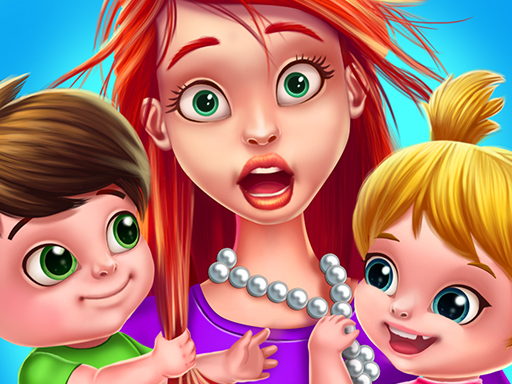
Super Babysitter Online Baby Care Game is a heartwarming simulation where players take on the role of a babysitter caring for cute newborns and twins. The core objective is to keep the babies happy and healthy through various nurturing activities. This game stands out for its gentle, family-friendly theme and bright, colorful graphics that appeal to children and anyone who enjoys caring for little ones. It emphasizes kindness, responsibility, and patience in a playful, safe environment.

How to Play

Players interact with the babies using simple mouse or touch screen controls. The game guides you through each task with clear instructions and visual cues. Typical activities include feeding the baby by selecting the right food or bottle, giving a warm bath with soap and water, playing with toys to keep them entertained, and putting them to bed when they get sleepy. Each completed task earns stars, which can unlock new activities and items. There is no time pressure, allowing players to play at their own pace.

Game Features

Features include fun baby care activities such as feeding, bathing, and playing. The game has cute, colorful graphics that appeal to young players. Controls are easy to use with either a mouse or touch screen, making it accessible for kids. The content is family-friendly with no violence or scary elements. Stars and rewards encourage progress, and players can care for multiple babies, including twins. Soothing music and sound effects create a calm atmosphere.

Tips for Success

To succeed, pay close attention to each baby's needs, as they may differ. Respond promptly to their cues, such as crying or yawning, to keep them happy. Complete tasks thoroughly to earn more stars, which can unlock new items and activities. Practice patience and care, as the game rewards gentle handling. There is no rush, so take your time to enjoy the nurturing experience.

Compatibility

✅ Works on PC & Mobile | Recommended: Chrome / Safari / Edge
FAQ
Is this game free to play?
Many online baby care games are free to play, though some may offer optional in-game purchases or premium features. It's best to check the specific platform or app store listing for details on pricing and any available content.
Can I play this game on my mobile device?
Since the game is described as an online game with touch screen controls, it is likely compatible with mobile devices such as smartphones and tablets. However, you should verify system requirements on the game's official page or app store.
What age group is this game suitable for?
This game is designed for children and families, with simple controls and no violent content. It is generally suitable for toddlers and young children, but older kids and adults who enjoy relaxing, nurturing games may also find it enjoyable.
Do I need an internet connection to play?
As an online game, a stable internet connection is typically required to access and play. Some games may offer an offline mode after initial loading, but this varies. Check the game's description for connectivity requirements.
Are there any ads in the game?
Many free online games include advertisements to support development. While the description does not specify ad presence, it is common for such games to have ads. Parents may want to review the game for ad content before allowing children to play.
Can I save my progress in the game?
Online games often save progress automatically through your account or browser cookies. However, not all games offer this feature. To be sure, look for a save option in the game's menu or check the game's support information.
Advertisement

Relevant Games