3D Style Creator Fashion Game

3D Style Creator Fashion Game

Style Creative
Updated: 2026-07-17

About

This online style game offers a delightful way to express creativity through 3D avatar customization. The large selection of clothing and accessories allows for countless unique looks. The simple drag-and-drop interface makes it accessible for beginners, while the depth of options keeps experienced players engaged. A great choice for fashion lovers.

Game Introduction

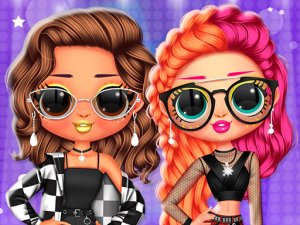
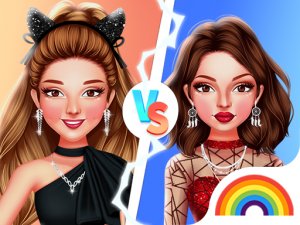
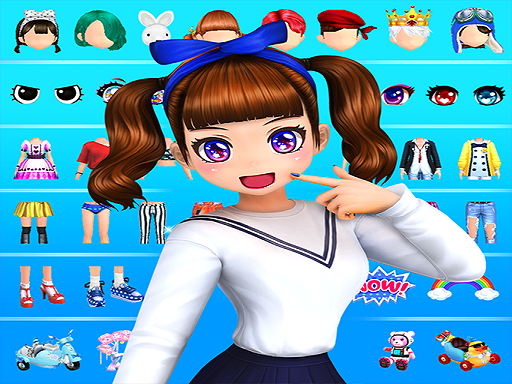
This online style game invites players to explore a vibrant world of fashion and creativity. The core objective is to design and customize a 3D avatar using a wide selection of clothing, accessories, and background options. Players can experiment with different combinations to create a look that reflects their personal taste. The game is designed for fashion enthusiasts of all ages who enjoy mixing and matching items to produce unique and appealing designs. With a focus on self-expression, the game encourages players to try new styles and share their creations with others. The intuitive interface makes it easy to get started, while the depth of customization ensures endless possibilities for creative exploration.

How to Play

Players begin by selecting a base avatar to customize. The main gameplay involves browsing through a large wardrobe of items and applying them to the avatar using simple drag-and-drop controls. Choices include different face shapes, hairstyles, eye colors, and a variety of clothing such as tops, bottoms, and dresses. Accessories like hats, jewelry, and shoes can be added to complete the look. Backgrounds and stickers provide additional ways to personalize the scene. Once the design is finished, the avatar can be viewed in different poses. Players can save their favorite designs to revisit or share later.

Game Features

The game includes a large collection of dress-up items, allowing for extensive customization. Avatars are rendered in 3D, providing a more immersive design experience. Multiple pose options let players see their creations from different angles. The mix-and-match system encourages experimentation with various combinations of clothing and accessories. Backgrounds and stickers add extra layers of personalization. The user interface is designed to be accessible, making it easy for players of all skill levels to create stylish avatars.

Tips for Success

To make the most of the customization options, try combining different styles and colors to see what works well together. Experiment with accessories to add flair to simple outfits. Use backgrounds and stickers to create a cohesive theme for your avatar. Save multiple versions of your designs to compare and refine them over time. The key is to let your imagination guide you and enjoy the process of creating unique looks.

Compatibility

✅ This game supports:
- Desktop browsers (Chrome, Edge, Safari)
- Mobile browsers (Chrome on Android, Safari on iOS)
❌ Does NOT support: - Internet Explorer - Very old browser versions
👉 Try refreshing or updating your browser
FAQ
Can I save my designs and come back to them later?
Yes, the game allows you to save your favorite avatar designs. You can revisit and edit them at any time, making it easy to build a collection of styles or refine your creations over multiple sessions.
Is this game suitable for young children?
Yes, the game is designed to be family-friendly and suitable for players of all ages. The content is focused on creativity and fashion, with no mature themes or complex mechanics, making it accessible for younger audiences.
Do I need to download any software to play?
No, the game is a free online experience that runs directly in your web browser. There is no need to download or install any additional software, so you can start creating your avatar immediately.
Are there any in-game purchases or ads?
The game is free to play and does not require any purchases to access its core features. Some versions may include optional in-game items or advertisements, but the main customization experience is fully available without spending money.
Can I share my creations with friends?
Yes, the game typically includes options to save and share your avatar designs. You can share images of your creations on social media or with friends directly, allowing you to showcase your unique style.
How often is new content added to the game?
The game may receive updates that introduce new clothing items, accessories, or backgrounds. The frequency of updates can vary, but the existing collection already offers a wide variety of options for customization.
Advertisement

Other Similar Games

Family Workshop Builder Game

Princess Dress Up Fantasy Creator

Nature Collage Design Studio

Charlie the Steak Rhythm Challenge

Nickelodeon Character Coloring Studio

Sprunki Musical Beat Creator: Rhythm Play

3D Style Creator Fashion Game