
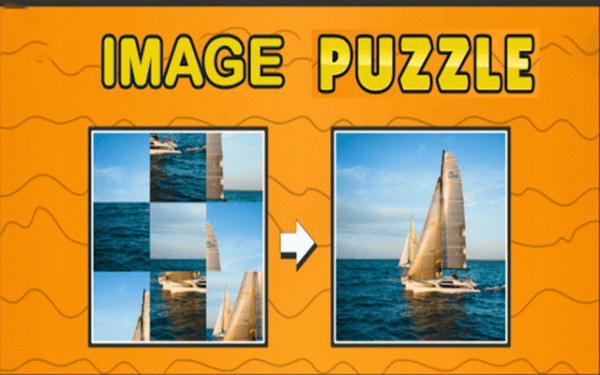
How the Tile Swapping Works
Each puzzle starts with a photograph divided into a grid of equal squares, then shuffled. Your task is to return every tile to its correct position. You do this by swapping one tile with a neighbouring tile — not dragging pieces across the board, but exchanging adjacent squares. That single rule defines every move. Because each swap affects two positions at once, you cannot treat tiles in isolation. A move that fixes one corner may push a correctly placed tile out of alignment. The challenge comes from planning two or three swaps ahead and accepting temporary disorder to reach a solved state.
Using Your Own Photos
The built-in image library provides ready-made pictures if you want to start immediately. The more distinctive feature is personal photo upload. Turning a familiar face or location into a puzzle changes how you solve it. You already know what the finished image should look like, so you recognise misplaced tiles faster. That prior knowledge can make personal photos easier than unfamiliar library images, even at the same grid size. It also makes the puzzle more engaging because the completed picture has meaning beyond a correct arrangement of squares.
Choosing Grid Size and Difficulty
Difficulty is controlled by grid dimensions. A 3x3 layout gives you nine tiles and a short solving window, which suits a quick break or a first attempt. A 4x4 grid increases the number of tiles and the number of possible swaps, so solutions take longer and demand more forward planning. The game does not impose a fixed difficulty curve. You select the layout before each puzzle, so you can move to a larger grid when a smaller one feels routine, or drop back down when you want a faster session.
Controls, Timing, and Accessibility
The game runs in a modern web browser with no download or installation. Controls support both mouse clicks and touch taps, so the same puzzle works on desktop, tablet, and smartphone. A timer records how long you take to finish. It does not force a countdown or penalise slow solving — it simply gives you a number to compare against your own previous attempts. That makes the timer useful for tracking improvement without turning the puzzle into a pressure exercise.






Editorial Notes