
Choosing Your Base Silhouette
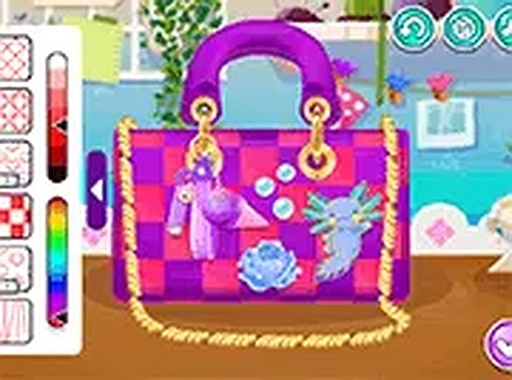
Purse Design Studio opens with a selection of basic handbag shapes. Each shape acts as a blank canvas, and your first decision sets the structure for everything that follows. Options include a classic tote, a structured satchel, and a compact clutch. The interface stays clean and straightforward, so the focus remains on the design process rather than navigating menus. Once you pick a silhouette, you move directly into color and pattern work.
Color and Pattern Application
After selecting a base shape, you choose a color for the main body of the bag. The palette covers a wide spectrum, from muted earth tones to bright, eye-catching shades. Beyond solid colors, you can apply patterns such as stripes, polka dots, or floral prints to add texture and visual interest. The combination of color and pattern allows for extensive variety, and you can experiment with different looks until you find the match you want.
Decorative Elements and Placement
With the base color and pattern set, you can enhance the handbag using decorative accessories. Charms, straps, buckles, and other embellishments are available to drag and drop onto your design. Each item can be positioned precisely where you want it, giving you full control over the final appearance. If you change your mind, you can remove or replace any element without starting over. This flexibility encourages experimentation and helps you refine the design until it feels complete.
Saving and Revisiting Designs
Once your handbag design is finished, you can save it directly to your device. This allows you to keep a gallery of your favorite creations or share them with friends and family. The save function is simple and does not require any registration or account creation. You can also revisit previous designs to compare them or use them as inspiration for new projects. This feature makes it easy to track your progress and celebrate your unique style.
Accessibility and Creative Freedom
Purse Design Studio runs smoothly in most web browsers without additional software or plugins. Controls rely on simple click-and-drag actions that are easy to learn even for first-time users. There are no complicated menus or hidden settings, so you can jump straight into designing. The game is a pressure-free environment with no timers, scores, or wrong choices. Every decision is part of the creative process, and you are free to start over if you want to try a completely different theme. This open-ended approach fosters imagination and helps you develop an eye for color coordination and accessory placement.




Editorial Notes