
Core Gameplay Loop
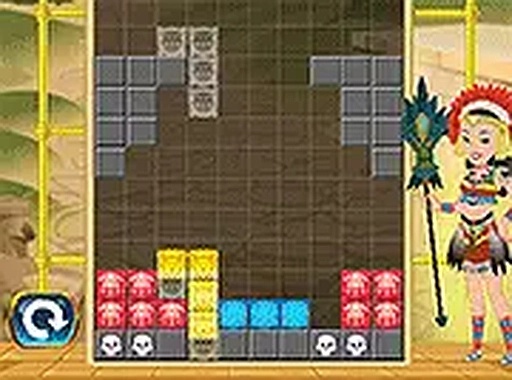
Players control a sequence of geometric shapes that descend one by one onto a rectangular board. Each shape must be rotated and positioned so it fits neatly into the existing layout. When a horizontal line is completely filled with blocks, it disappears, freeing up space for more pieces. The game continues until the stack reaches the top of the grid. This straightforward loop creates a satisfying rhythm of placement, clearance, and increasing pressure.
Difficulty Curve and Progression
The early rounds move at a relaxed pace, giving newcomers time to understand how each shape fits. As the player clears more lines, the descent speed gradually increases. This ramp-up forces quicker decisions and more efficient placement. There is no fixed endpoint; the challenge is to see how many lines can be cleared before the board fills. The difficulty adjusts naturally based on player performance, keeping the experience engaging for both beginners and experienced puzzle fans.
Control Scheme and Accessibility
On desktop computers, players use mouse clicks to drop shapes and a dedicated button to rotate them. Touchscreen users can tap directly on the grid and use an on-screen rotate control. The interface is clean, with minimal visual clutter, so the focus stays on the puzzle. A full-screen mode is available for larger displays. No account creation or installation is required, making it easy to start a session in seconds.
Visual Style and Feedback
The design uses bright, distinct colors for each shape, which helps players quickly identify pieces. When a line is cleared, a brief visual effect highlights the removal. The grid lines are subtle, and the background remains neutral to reduce eye strain. This approach keeps the game visually clear even during fast-paced play. The overall aesthetic is functional and uncluttered, prioritizing gameplay over elaborate graphics.




Player Comments
0 comments