
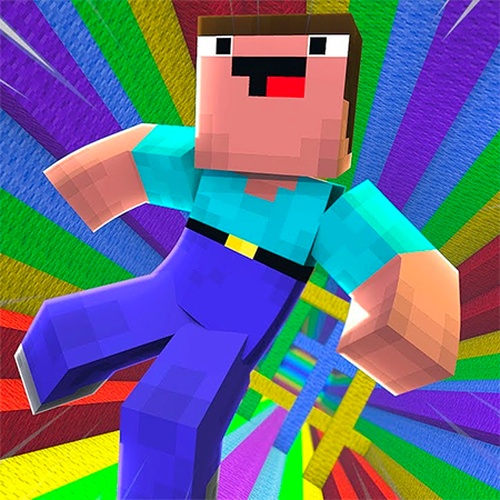
Core Gameplay Loop
Platform Descent Runner places you in control of a character falling through a vertical series of platforms. Each platform contains gaps of varying widths and moving obstacles that shift position as you descend. The primary objective is to navigate through these openings without colliding with any hazards. Success depends on reading the layout ahead and making split-second adjustments to your trajectory.
Obstacle Patterns and Variety
The game introduces a range of obstacle types that appear as you progress deeper. Some hazards move side to side, while others rotate or shift in response to your position. The gaps between safe zones become narrower and more irregularly placed over time. This increasing complexity keeps the experience fresh and demands continuous adaptation from the player.
Power-Up System
Scattered throughout the descent are special items that temporarily alter your capabilities. Speed boosts allow you to pass through tight spaces more quickly, while invincibility shields protect against a single collision. Strategic use of these power-ups can mean the difference between a short run and a record-breaking score. They appear in predictable locations, rewarding players who memorize their placement.
Visual Style and Feedback
The game uses a clean pixel-art aesthetic with bright, saturated colors that make obstacles and platforms easy to distinguish. Each collision triggers a clear visual and audio cue, providing immediate feedback. The background shifts subtly as you descend, giving a sense of depth without distracting from the action. This clarity helps players focus on the precise movements required.
Progression and Replayability
There is no set endpoint to the descent; the game generates an endless sequence of platforms, ensuring each attempt offers a unique challenge. Your score increases based on how far you fall and the number of power-ups collected. This structure encourages repeated play as you strive to beat your personal best. The lack of a final goal shifts the focus to continuous improvement.
Accessibility and Controls
On a keyboard, directional keys move your character left, right, forward, or backward. Touchscreen users can swipe or tap to guide their descent. The controls are responsive and require only a single hand to operate, making the game easy to pick up for short sessions. This simplicity lowers the barrier to entry while still allowing for skilled play.




Player Comments
0 comments