Open
Inversion of Rules 3D Obstacle Runner
Game

Inversion of Rules 3D Obstacle Runner

Developer: Pixel Reapers Digital
Published: 2024-08-31
Updated: 2026-06-12

Runs in your browser — no download required.

What players say

Inversion of Rules provides a solid obstacle running experience with increasing difficulty and surprise elements. The controls are simple and responsive, making it easy to jump in. Each level feels fresh due to unique layouts and unexpected obstacles. The game encourages replay as you improve your timing and learn patterns. It is a good choice for casual play without downloads.

About this game

Game Introduction

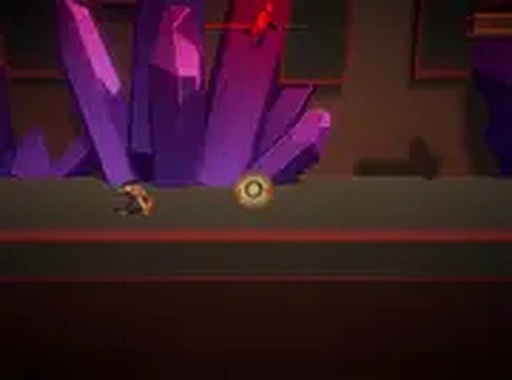
Inversion of Rules is a 3D obstacle running game that challenges your reflexes. Your goal is to catch the running person ahead by conquering every obstacle in your path. Each level is packed with surprise obstacles that can catch you off guard, keeping you alert and engaged. The game increases in difficulty as you progress, offering unexpected twists that test your timing and focus. Designed for desktop play, it provides a smooth and colorful experience right in your browser. Whether you enjoy side-scrolling games or want a fun challenge, Inversion of Rules delivers hours of entertainment. The simple controls make it easy to start, but mastering each level requires practice. Jump, dodge, and race through unique layouts as you try to outsmart the rules. Best of all, it is completely free to play. Get ready to flip the rules and see how far you can go.

How to Play

Playing Inversion of Rules is straightforward. Use your keyboard to control your character. Press the spacebar or up arrow key to jump over obstacles. Time your jumps carefully because some obstacles appear suddenly. Each level has its own layout and difficulty, so stay alert. The game runs in your browser with no downloads needed. For a better view, switch to full screen mode. Your main task is to avoid obstacles and keep moving forward to catch the running person. If you hit an obstacle, you will need to restart the level. Practice improves your timing, so keep trying. The game is designed for desktop use, so a keyboard or mouse works best. Enjoy the challenge and have fun mastering each level.

Game Features

Inversion of Rules offers a clean and responsive experience. The colorful 3D graphics and straightforward controls make it easy to pick up. It is a good choice for quick gaming sessions. The game is free to play, desktop optimized, and includes a full screen mode. Increasing difficulty keeps the game engaging, and surprise obstacles add variety to each level.

Tips for Success

To succeed in Inversion of Rules, practice timing your jumps carefully, as obstacles appear suddenly. Stay alert and learn the layout of each level to anticipate surprises. If you fail, restart and try again—each attempt improves your reflexes. Use full screen mode for better visibility, and focus on maintaining a steady rhythm to avoid mistakes. Consistent practice will help you master the game.

Compatibility

Play on Any Device | Chrome / Safari / Edge Recommended
FAQ
Is Inversion of Rules free to play?
Yes, the game is completely free to play. You can access it directly in your browser without any payment or subscription. There are no hidden costs, and you can enjoy all levels without spending money.
Can I play this game on mobile devices?
The game is optimized for desktop play, so it works best on a computer with a keyboard or mouse. While it may load on mobile devices, the controls and experience are designed for larger screens, so desktop is recommended for the best performance.
Do I need to download anything to play?
No downloads are required. Inversion of Rules runs directly in your web browser. Simply open the game page and start playing. This makes it convenient for quick gaming sessions without installing any software.
What happens if I hit an obstacle?
If you hit an obstacle, you will need to restart the current level. The game does not have checkpoints, so you must complete the level without any collisions. This encourages careful timing and practice to avoid mistakes.
Is there a way to change the difficulty?
The game automatically increases difficulty as you progress through levels. There is no manual difficulty setting. Each new level introduces more challenging obstacles and layouts, so the game naturally becomes harder the further you go.
How many levels are in the game?
The exact number of levels is not specified, but the game features multiple levels with increasing difficulty. Each level has its own unique layout and obstacles, providing variety and replayability as you try to progress further.
Advertisement

Relevant Games