
Core Objective and Moment-to-Moment Play
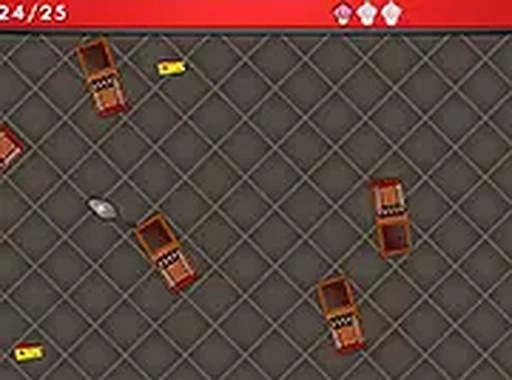
Feed the Mouse is a skill-based arcade game built around a single clear goal: move a hungry mouse through each level and collect as much food as possible. The food items are cheese, ham, and bread, scattered across the stage. Obstacles such as traps and barriers stand between the mouse and the food, so every movement carries a small risk. The challenge comes from reading the layout quickly and choosing safe routes without wasting time.
[IMG_1]Controls and Platform Support
The game runs directly in a browser with no download required. On a desktop computer, you can steer the mouse using either the mouse cursor or the keyboard arrow keys. On a mobile device, touch and drag replaces the cursor. A full-screen mode is available for players who want a larger view and fewer distractions. Because the same game works across desktop and mobile, progress and controls stay consistent regardless of where you play.
Progression Through Upgrades
Feed the Mouse includes an upgrade system that lets you improve the mouse's speed and resilience. Speed helps you cross open ground faster and slip past moving hazards, while resilience gives you more room for error when a trap is unavoidable. Achievements and milestones unlock as you play, giving additional goals beyond simply finishing a level. These systems add a layer of planning to what is otherwise a straightforward arcade challenge.
Level Design and Difficulty
Each level introduces a new layout, so the position of food and obstacles changes from stage to stage. That variation forces you to re-read the screen instead of memorizing one safe path. The difficulty curve is gentle enough for younger players, but tight spaces and trap placement still demand precise control. The game is designed to be family-friendly and suitable for all ages, with bright, cheerful graphics that keep the tone light even when a level gets tricky.







Editorial Notes